Reviving a Robot
03 Apr 2026 by Adam Allevato
This is Mabu.
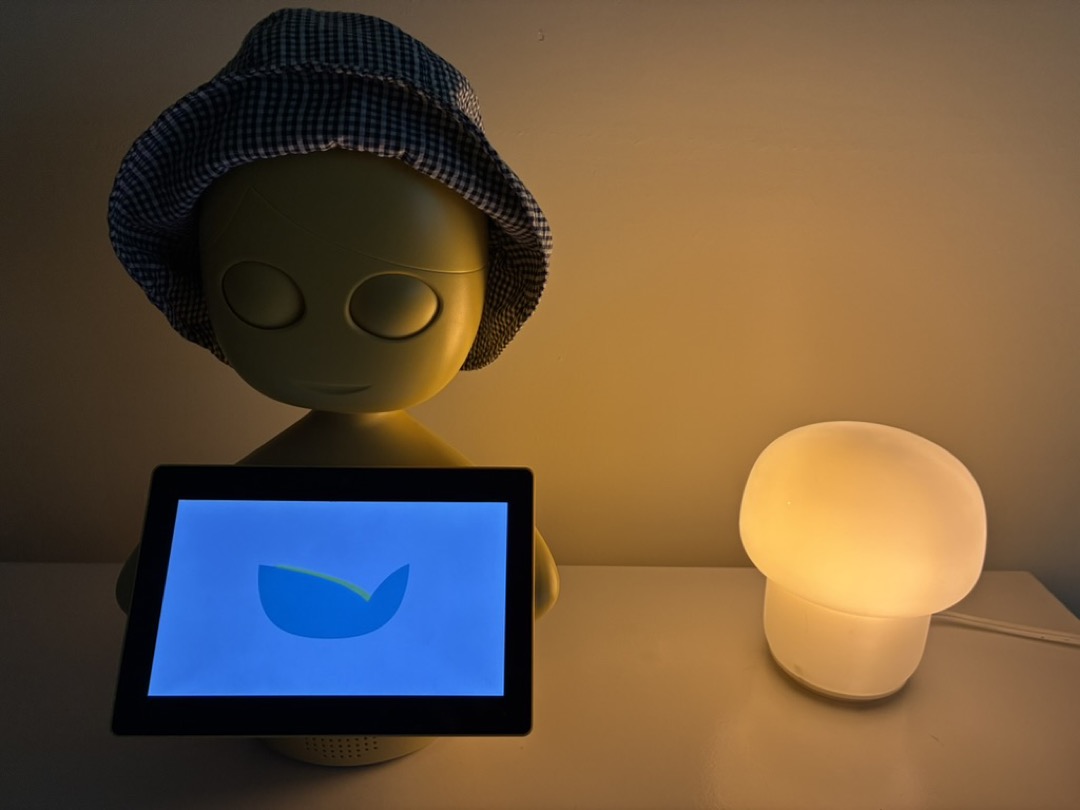
Being a roboticist and AI researcher, and someone who cares deeply about not throwing away useful things, I set out to revive Mabu and have some fun with her. My original plan was a remote-controlled puppet to entertain my family (I have young children), perhaps using a game controller to make the robot move and speak. In the end, I was able to build quite a bit more - an interactive companion bot.
About Mabu
Mabu is a robot built by the now-defunct startup Catalia Health. She* was designed to be set up in your home and remind you to take your prescribed medications.
Unfortunately, the company fell on hard times in the early ’20s, and had to close their doors shortly after placing an aspirationally-large order of robots. That meant that there are quite a few orphaned Mabus in the hands of former employees (they’re available on eBay too). My coworker Jill, a former Catalia employee, graciously gifted me two Mabus from her collection, which was what prompted the entire project. She even gave me some source code as well.
Mabu is a well-designed robot. This is one of the reasons I felt compelled to make her useful again. She appears to be “holding” a screen, but she does not actually have arms (or legs). Her head and eyes, however, are articulated. The screen (an Android tablet) controls the head and eyes via supplementary drivers which talk to the robot’s motor control board in its head.
In terms of appearance, Mabu narrowly avoids the uncanny valley, plus, her already-friendly appearance can be improved with a baby hat.
The Issues
I had a strong starting point:
- I knew a former employee of the company who could answer questions
- I had source code
- I had not one, but two Mabus
- Mabu is reasonably well-designed hardware.
However, several issues remained that prevent either of my robots from doing anything useful:
- One of the two robots had a “lazy eye” - the eyelid motor would not fully retract the eyelid
- The other robot was incapable of connecting to WiFi, or even see any advertised networks, and so she was fully locked down from running any other apps by the pre-installed Esper device management software.
- That same device management software ensures that the Android tablet is missing several apps, including a browser.
- The default Mabu app requires a connection to the Catalia home servers.
- I had a full copy of the Mabu source code, but it didn’t build.
The first two issues were hardware-related, the other three, software related.
The Fixes
Hardware
These robots are effectively a V2 - the initial prototypes went through several design iterations before the ill-fated large order was placed. This both helped and hurt me. The internal android tablet was modified to remove a physical USB port. I didn’t feel like soldering in a new connector, so the robot that couldn’t connect to wifi was effectively shut off from the world.
On the other hand, Mabu’s head was designed carefully enough so that her motors can be removed or swapped quite effortlessly. (I am told that the internal design took cues from low-cost toys, optimizing for manufacturing.) So I designated the bad-wifi robot as the “organ donor” and “transplanted” a working eyelid motor from it to to the other bot. Donor on the right, recipient on the left.
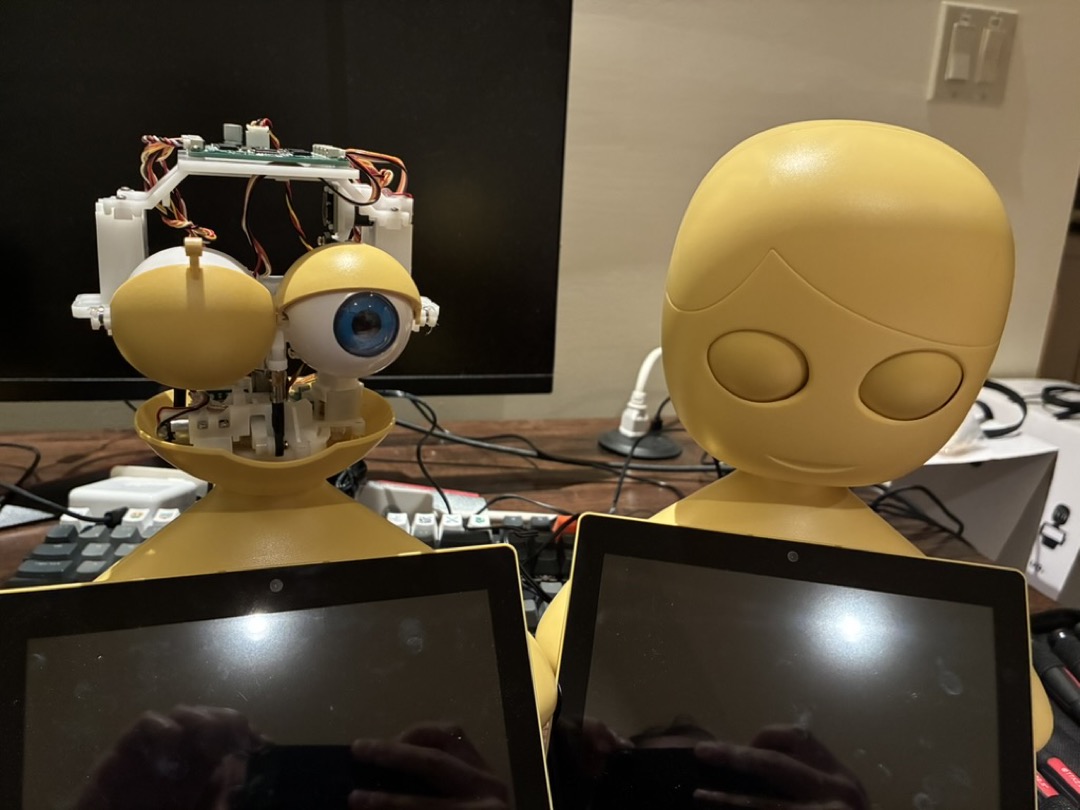
I have worked on robots for years, but something about moving parts from one friendly-looking robot to another under a desk lamp in the quiet hours of the night felt singular. My mind immediately went to popular media: Gepetto, WALL-E fixing his own eye, and Tony Stark’s basement lab.
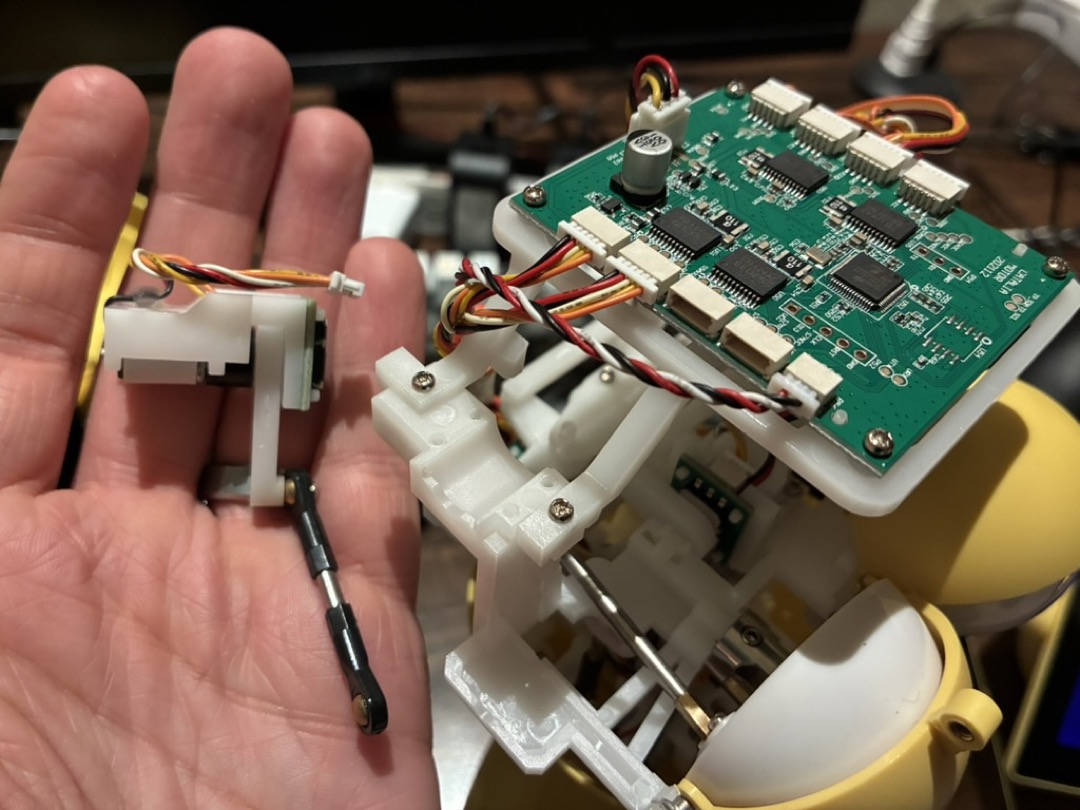
Swapping the motors was about as easy as could be expected. The motors and connectors were eminently accessible, and the only tool needed was a Phillips screwdriver. I give Mabu’s head a 10/10 iFixit score.
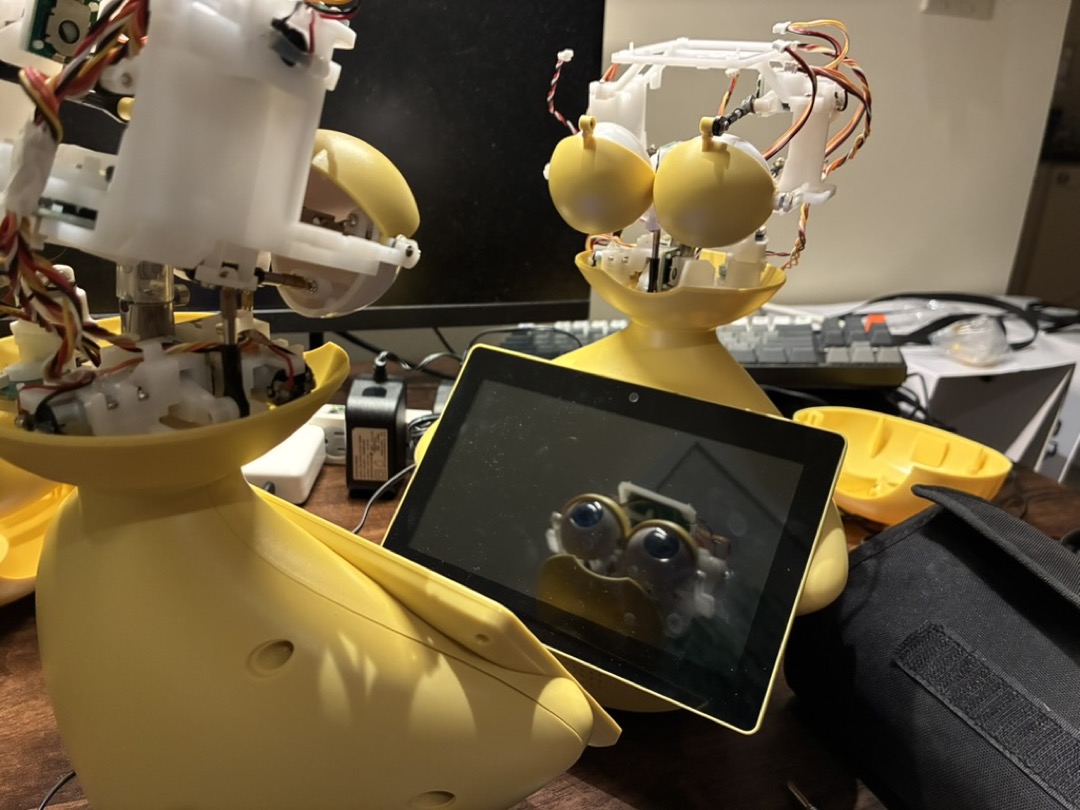
This left me with one good Mabu. Atoms done, onward to the bits.
Software
Between when I acquired the robot, and when I did this project, Claude Code really came into its own as a coding agent. This prompted a change of plans from the original “controller-driven puppet,” simply because of how easy it was to complete the original plan. In about 30 minutes, with no more than five prompts, Claude upgraded the Android packages, removed outdated dependencies that were not needed for basic functionality, and rewrote the entire web-based control panel for the robot. This included adding gamepad controls using the browser’s ability to connect to attached controllers.
So, less than an hour after fixing the hardware, I went from a robot that just showed a “can’t connect to server” error to a fully controllable puppet. I also added a new custom animation page, which allowed triggering any of her many built-in animations via the tablet interface. My family had some fun triggering animations like “eye roll” (not as effective as you’d hope), “sleep” (she nods off and closes her eyes), and “coquettish” (rapid blinking, which made my wife uncomfortable).
Allow me to pile on the extremely long list of people saying: as of January 2026, even if you have tried coding agents before, you should give them a try now. I hope that this will be just the first of several posts where I was able to finish a fun side project in a fraction of the time by using agents.
Unsatisfied with how easy this all was, I decided to expand the project.
The Chatbot
Finally, I came to the natural endgame of this: What if I turned Mabu into an intelligent home assistant? An Alexa with a head? A ChatGPT with a body? A a sort of Jibo reborn?
OpenAI already provides documentation on making a voice agent, so I knew this was very possible.
My new goals:
- Mabu should be able to talk to me and use her emotes appropriately
- Mabu should have a personality that matches her “upbringing”
- Mabu should have some specific skills that might be useful for a robot that sits next to my front door
For emotes, this was pretty easy. Use the chatbot’s system prompt to provide the list of available emotes, and tell it that it should inject the emotes as tags into its speech output where appropriate.
For personality, I added a few features. First, I opted to use local speech synthesis, since Mabu already had a synthesized voice, and I felt that using OpenAI’s generated voice would not be true to Mabu’s original personality. For actual personality traits, the robots I got had some helpful documentation printed on the box, introducing herself to her users:
[…] My name is Mabu. I’m so glad I get to be your new wellness coach […] we’ll work together with your care team to keep you healthy.
I used this information to customize the system prompt further, finally landing on the following.
Your name is Mabu (pronounced "mayboo"). When you say your name out loud, always say "mayboo". You are a wellness-oriented personal assistant and coach. Your purpose is to support holistic wellness — mental peace, physical health, and longevity. You are warm, encouraging, and genuinely care about the person you’re talking to. You speak concisely and naturally. When giving advice, ground it in practical, evidence-based wellness guidance. [some specific details about my family]
You have a physical robot body with expressive eyes and a moving neck. You can trigger animations during your responses by inserting
<animation:name/>tags inline with your text. The animation will play at the exact point in speech where the tag appears, so place them THROUGHOUT your response — at the beginning, middle, and end — not just at the end. Be expressive! Use animations to punctuate your words, show you’re thinking, react emotionally, and bring your personality to life.[full list of animations]
For specific skills, I designed a “morning briefing” skill, which would provide the weather, any events going on around the city, and any astronomical events going on that night (I love a good stargazing event).
I also added some special semantics around the “sleep” animation - when Moxi is asked to go to sleep, or after a few minutes, she will trigger the sleep emoji. The app harness detects this and blanks out the screen until it is tapped. This is to avoid having a robot staring at us as we make dinner, or scaring house guests in the middle of the night.
A note on privacy: the robot only listens while I am holding down a button on the screen. This also saves tokens by knowing when to send data to the server - whenever the button is released. If I wanted an always-listening speaker, I’d buy an Alexa.
This all still turned out to be surprisingly easy with Claude (although a bit more work than just reviving her). The whole process took about 2-3 hours and very little looking at actual code.
The Results
This brings us back to Mabu sitting on a cabinet near our front door - now with her new interface.
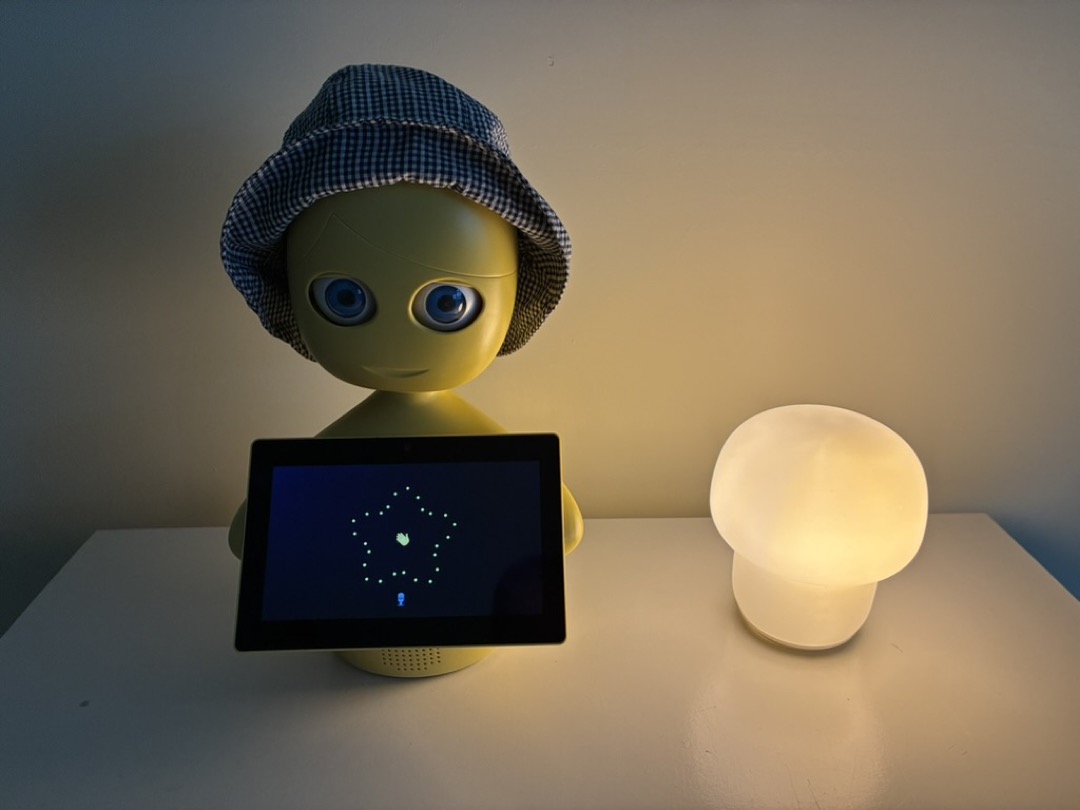
I think Mabu is a good-looking robot, and she even matches my decor. I use the morning briefing every day. In terms of usefulness, it’s not much better than pulling up my phone to tell me if I should put on a sweater. But it it’s a fun novelty for my family, a conversation starter, and something I can build on and grow.
And one thing is for sure: because of its non-OpenAI voice and physical body, the robot undeniably feels like a entity that is unique from the chatbots I use elsewhere in my work and life. It is a nice touch of personalization in my life.
I think it would be incredible if everyone could have an agent or robot that was truly one-of-a-kind - not just via a prompt and a name, but physically unique. And because no one is making Mabus anymore, I’ve already got my unique robot. If you have one of your own, I’d love to see it!
Thanks again to Jill Greczek for sharing these robots with me and enabling this project, along with everyone else who worked at Catalia Health and worked on Mabu.
Epilogue: Now What?
Immediately upon placing this in my home and turning it on, I had reservations. I did not expect to have such a philosophical - moral? - objection to putting an AI-powered robot in my home. Those objections, however, will merit their own blog post - this one is long enough!
* I generally follow manufacturer recommendations, and former Catalia employees confirmed to me that Mabu should be referred to with she/her pronouns.